SCP
SCP.jpg.328747855344d5d9f0dd7ad71008cd2a.jpg)

mdgunn
-
Posts
670 -
Joined
-
Last visited
Recent Profile Visitors
51,538 profile views



mdgunn's Achievements


-
[Reposted from Youtube] Thanks for playing Knucklebones Josh! A few things to note about the game itself. The game is entirely created with brushes (no learning a different 3D program) and 95%+ textures downloaded through LW5. Most code is based off the game template and modified built-in script components. Part of the aim was to make a game that is within reach of most people (I think), including myself because this was also my first attempt to make a mostly complete game in LW 5. I've used 4 a lot before though. You were so close to moving into the next area! The password was correct and you just had to move to the door that you were looking towards when you quit (doh!). So close....The message next to computer says passwords unlock doors and I think you tried to re-read it but the note and computer are too close to each other and the computer prompt triggered instead of the note. I will move the note a bit further away I think. I had considered lights above both the computer and doors to indicate successful of failed password and unlocking of doors (some is implemented but now disabled). It felt like a leading by the nose a bit too much when the game is quite short and options are limited. I will fix the issue where the computer looks active when it is not yet (forgot to correct that). Thanks again!
-
As MonkeyFrog mentions I think this greyboxing/prototyping subject could be a large part of the issue. This is my preferred way of trying to work and it feels like Leadwerks should support it well . Brushes can be effective as simple objects. My winter game had 71 objects based on brushes and no 3d meshes. This SHOULD be where some of the Leadwerks FUN is, and it almost is, but then it feels like it doesn't work out and gets painful (...so...basically the opposite of fun). However it feels like it SHOULD work and should only be a checkbox or menu item away but currently it feels like a bit of a battle. There may be 2 broad sets of users. One set may be using more of a greyboxing/prototyping users approach. The other users probably use more predefined 3d imported models with well defined subobjects. Prototypers are going to be composing objects with parts which are not yet set in stone as well defined subobjets and for whom it is more important that updates carry to children. The other people have objects more often set in stone so want to retain sub object transforms. Would it not help if people could CHOOSE to pull the master prefab to the instance again. Part of the issue is that the manual way, which I suppose is the current 'solution' is to delete, re-add, reposition, which feel like no solution at all. Seems there should be other options here. Do neither of these work?..... 'REPLACE PREFAB' CONTEXT MENU ITEM: Allow a user to replace a prefab with another prefab. If it defaults to assuming the current filepath then it acts like an instance re-sync but you can change path to be a different object altogether if you want. Retains transforms that previous prefab has so it is same scale, orientation as before at top level node but actual sub-objects are reset (unless there is a way they can be matched). 'INSTANCE OUT OF DATE' UI INDICATIONA AND 'RESYNC ONE/ALL' CONTEXT MENU ITEM: There may be more complicated ways to do this but the basic idea is that Prefabs can tell when they are not in sync with the master and indicate this (by colour etc) and the user themselves chooses if they want to take the parent again (they will lose transforms unless this can be carried through). Couldn't there just be a guid or hash (based on file content or something) in the master prefabs and the instance get given that GUID/hash when created and when the master is resaved it gets a new GUID and the editor can check prefabs (based on matching filepath) and indicate in UI the prefabs where their GUid/hash does not now match the master prefab. Maybe when updating one there is additional menu item or checkbox to replace all. Hopefully this fits with UNDO system and you can step that action back should you notice you wanted only some to be affected and you can then do individuals. Maybe a plugin script thing could do one or both of these but most users are likely to not know how to deal with that. The source engine stuff sounds good too but initially maybe there is some simple option where you can just see an instance is out of date and pull again if you want to would help. Just flat out replacing a prefab with same/other seems useful to me as just a general option also.

-
 It worked. Surprised I didn't try E before. I went back to the other room again and pressed it about 50 times in there instead. That the girders looked like more of a blocker than a usable item must have put me off. Thanks.
 -
 Getting an error currently. I think you only uploaded a few minutes ago so you may well be fixing, but this is what I got. I think it's just standard stuff, not really your stuff but I suppose it should be packaged with the program by Leadwerks or maybe you'd need to point people at the right stuff. Dunno.
 -
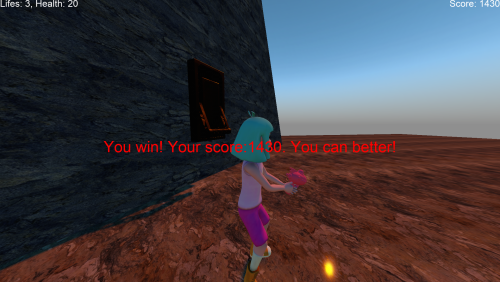 Skiing....sounds great. Good game though. You seemed to have got the models working pretty well. Felt like I was getting a bit stuck on geometry on the first 'pad'. Good though! Glad I tried it.
 -
Great game. I played until I got stuck. I couldn't figure out what to do in the place with the radio voices. Maybe a pattern to the button presses? Nothing seemed to work, probably. Tried everything I could think of, exit out is blocked so it seemed I needed to move forward but had me stumped..
-
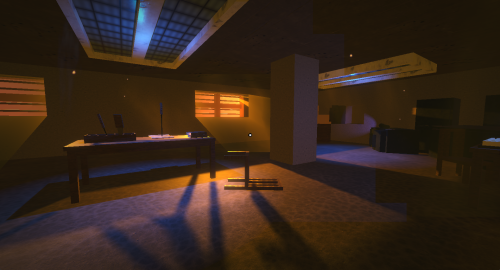 Did a bit more testing. There can be a state bug involving the locked doors. If you find a door locked again that you've been through return to the computer and put all the password you know about back in and you'll find the doors you know about unlocked again. Doing these should mean you can hit the ending still.
 -
View File [Winter Games 2025] Knucklebones Short narrative horror puzzle game. An unofficial sequel to Fingerbones (https://store.steampowered.com/app/391270/Fingerbones/). Considered an alpha at this stage. Needs a bit more dev time so I blocked off the final room for now so I can refine things a bit more. I split game from single map to multi-map quite far through the tournament time which complicated things as state has to be maintained across maps. If you seem stuck it might be due to this. Should be possible to make it to the intended end. There will be a note at the end making it pretty clear your at the end of the game so far. The use of sound was going to be a more prominent factor but for now it's minimal and functional. First game attempt in LW 5. Though I've used LW 4 before and have previous LW competition submissions (e.g Grimlight) Submitter mdgunn Submitted 01/18/2026 Category Games
-
I should have said. There are no traditional 3D models. Everything is a brush (a couple of brushes were converted to gltf in LW to see how that works) . Most textures were downloaded through LW5. There are a few external textures and sounds including some that were open-sourced by the Fingerbones project (some credits in game).
-
12 downloads
Short narrative horror puzzle game. An unofficial sequel to Fingerbones (https://store.steampowered.com/app/391270/Fingerbones/). Considered an alpha at this stage. Needs a bit more dev time so I blocked off the final room for now so I can refine things a bit more. I split game from single map to multi-map quite far through the tournament time which complicated things as state has to be maintained across maps. If you seem stuck it might be due to this. Should be possible to make it to the intended end. There will be a note at the end making it pretty clear your at the end of the game so far. The use of sound was going to be a more prominent factor but for now it's minimal and functional. First game attempt in LW 5. Though I've used LW 4 before and have previous LW competition submissions (e.g Grimlight) -
Ah poop. OK. I'll upload some sort of early version later and update it after end of compo. @Josh I'm a returning competition participant. Address checked and is correct. I've done about 5 in the past for xmas or halloween. Most not visible here now I did this one (probably not the best one......ran out of time.....again). This was another
-
I was re-checking the dates and the image says January 19 but the text says before January 19th. but does the text mean... Submit it before [END OF] January 19, 2026 (GMT). OR Submit it before [START OF] January 19, 2026 (GMT). To my mind it never makes much sense to advertise a date which you then have to remember is the date at which it is TOO late to do a thing. And yes...my fault for having to divert some time near the end. So grasping at straws yes. Getting close but hoping I can submit something more complete given an extra 24 available hours till end of 19th. So are submissions by end of Jan 19th acceptable @Josh?
-
 I see now that you can click on a prefab and it will load into editor but what happens after that is VERY confusing. There seem to be 3 issues 1) The loaded prefab does not use the settings (e.g. ambient level) from the prefab that it is usually necessary to put in place in a prefab to avoid it being tied to map ambient level (which is an issue if you are working on a dark horror game for examples). 2) If you DO change the world settings you seem to be actually getting the current map settings (I think) but when you save they will save into the prefab you're looking at, even if it had it's own world settings before. During this time the file edited shown in the title bar changes from the map to the prefab. 3) I can't figure out how to get back out of the prefab so if there is a way it seems its not so obvious that all users can figure out what it is. If it's supposed to be that you go file->open map then that is a bit strange because a) the title bar probably says you are already there b) having to do several clicks to re-open the map you thought you were already in seems very odd versus a one click 'return' button or something like that. The request to have prefabs in the file list was not because I want that exactly but it seemed that it simplified moving between maps and prefabs and now I found this existing movement between map and prefabs the current way seems very strange so far. I think it still probably makes sense to have prefabs in the recent file list but maybe there are good reasons why not. Is it because of the need for some reasonable world settings to avoid them just being dark and/or having to define them for each prefab? I've had to define ambient world settings 50 times now - one for each prefab in my current project as I'm working on a horror game. This seems a bit odd. Am I missing something?
 -
Did a little test. I agree prefabs do no update as expected. My case may be different (or the same, I don't know) as I am experiencing headaches with brushes and prefabs. About 100% of the time brush based prefabs do not update as I expect and I have to delete ALL old instances and put new copies in and they will look as I hoped the update would have made them look (but did not). Here is an image of what is about to be explained. Try the following 1) Create a box, anywhere EXCEPT the centre of the world. World centre would be stupidly convenient of course so we don't do that. 2) Save as prefab. Prefab will inherit the old world position which to me feels like it probably never what you want. 3) On the original map place the prefab some where else not at world centre. If it's a brush it won's sit on surface as you might hope but rather use the root object centre. To avoid this if I use a pivot to provide an origin point for the brushes that I make children of the pivot. I don't want to commit to moving to a 3D program yet brushes are just fine at this stage! The pivot then interferes with the ability to edit the brushes (have to move brushes out, edit, put back under pivot etc. super painful and prone to error). Anyways....next. 4) Enter prefab and add a box or other geometry to it. Will look fine in prefab. 5) In world the box will appear based on the location of the original item. If you didn't delete the prefab source the original prefab source will gain the new geometry and the ACTUAL prefab will appear to not gain the geometry because it's getting offset back to the position of the original. This feels like a SUPER weird and confusing situation to me. In the image you can see the red box and yellow box appearing over the original green box when in the prefab they were put over the green box. Odd because it LOOKS like the original got updated (which isn't itself even a prefab at this point) and the prefab appears not to be update but it did but the objects are updated back to the original world offset and not by their relationship to the geometry inside the prefab.
-
If you are working with Prefabs you often want to switch between the map using the prefab and the prefab you're developing (as there is no other way to access the prefab to edit it without switching maps). The easiest way to fix this would be to put prefabs in the recent file list. You have to constantly navigate to the Prefabs directory wasting countless clicks over time. The current workaround is to add a shortcut to your current project prefab directory. Leadwerks itself should have some appreciation itself (even just by using Recent Files list) that users often want to switch between the host map and prefab.